Posts

Showing posts with the label HTTP

Salesforce Fact #800 | Another POC with Http callout from flow
Image
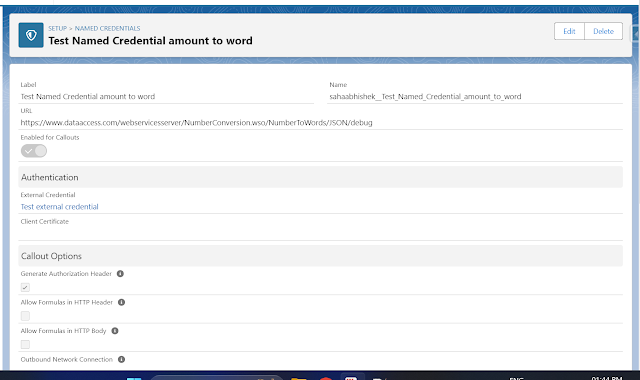
Sometimes we need to work on some finance related requirement where the amount needs to be shown in words as well like the option we have in physical cheques. We can use a web service callout to do get the details and that can be invoked from a screen flow. Note: This one does not work on digits after the decimal. Attached are the screenshots.

Salesforce Fact #799 | Change response data type in flow callout

Image
While using Http callout in flow, it is possible to change the output format of the response from application/json. To change this, Setup -> External Services -> Click on the Actions dropdown for the respective external service-> Edit -> change the content to the required format e.g. text/plain -> Save & Next Reference:  https://salesforce.stackexchange.com/questions/409668/how-to-use-http-callout-action-in-flow-with-body-of-content-type-application-x Attached is one sample screenshot.

Salesforce Fact #751 | Another one POC on Http Callout from screen flow

Image
We can make a GET callout from screen flow to get the calling country code for a particular country. In this example, we have a field on contact i.e Calling Country Code which is populated from the callout made from screen flow and the input is the mailing country code. The screen flow is invoked from a quick action button on the contact detail page. Attached are the screenshots.

Salesforce Fact #742 | Another POC on flow Http callout

Image
Suppose we want to get the country flag image for account shipping country in account detail page. We can use HTTP callout from screen flow to get the data. Attached are the screenshots.

Salesforce Fact #730 | POC on HTTP callout from screen flow

Image
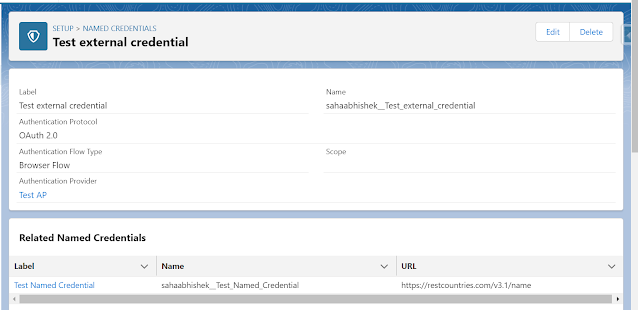
Now we can do HTTP callout from flow. Currently the supported methods are GET and POST(Beta). In this example, we are doing a callout from screen flow to get the capital of the selected country. The endpoint is: https://restcountries.com/v3.1/name/{countryName}?fields=capital Reference:  https://www.apexhours.com/http-callout-into-flow-builder-without-code/ Attached are the screenshots.                                                External  Credential   Named Credential   Permission Set  Screen Flow